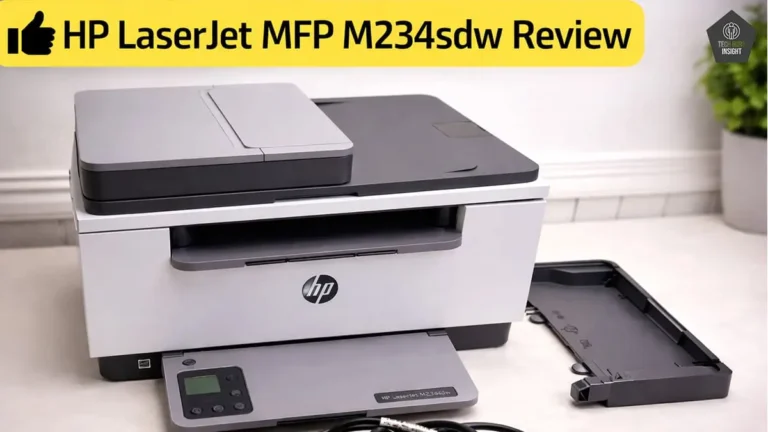
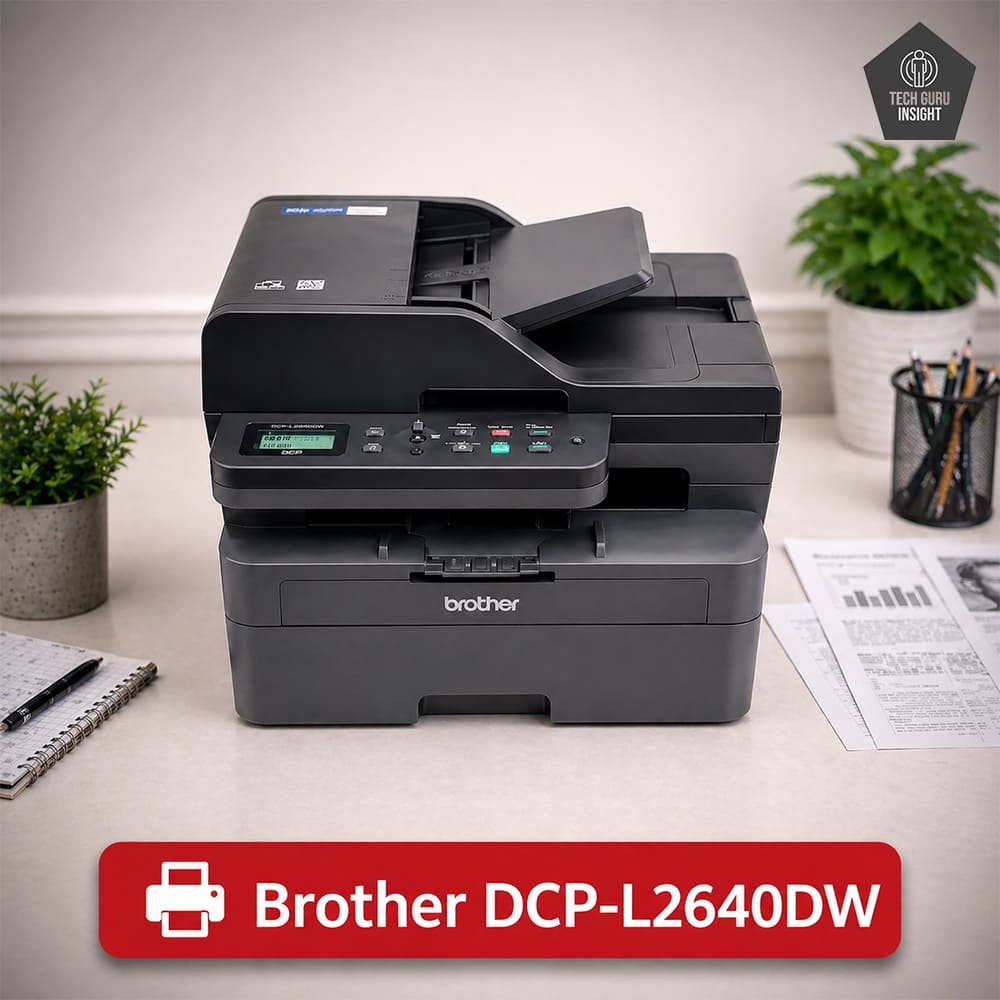
Brother DCP-L2640DW vs HP LaserJet MFP M234sdw
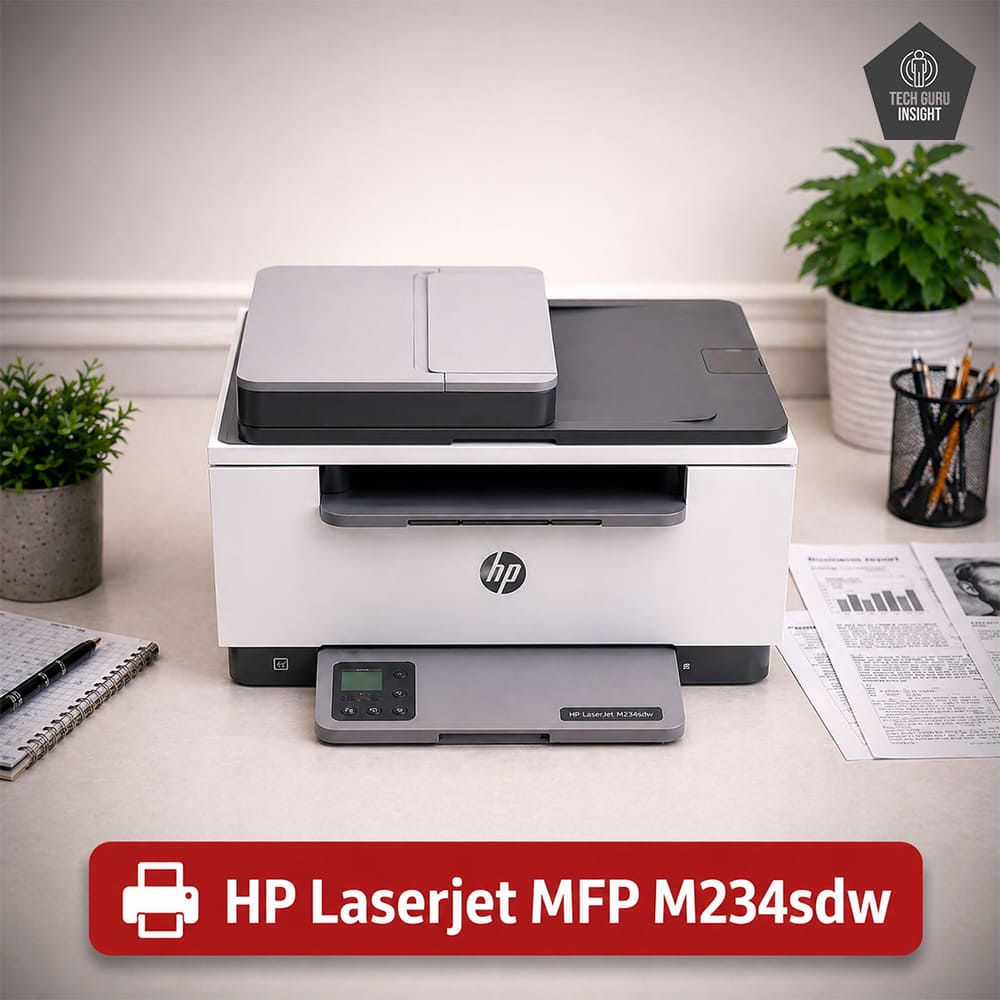
Recommended in: AirPrint Printers Under $200, Best Laser Printers Under $200
Our Verdict
The Both printers deliver reliable monochrome laser performance, but they target slightly different users. The HP LaserJet MFP M234sdw is a compact and user-friendly option that works well for home users or small offices needing convenient wireless printing and simple operation. In contrast, the Brother DCP-L2640DW offers faster print speeds, higher memory, a larger paper tray, and Ethernet connectivity, making it better suited for heavier workloads and shared office environments. For light to moderate printing with strong mobile support, HP is a solid choice. However, for better overall performance, capacity, and long-term office productivity, the Brother DCP-L2640DW stands out as the more capable and practical investment.
Variants
Review
Usage Comparison
✅ Choose Brother DCP-L2640DW if:
– Your family prints frequently (school work, documents, PDFs)
– You need ADF for scanning multiple pages (very useful for students)
– You want lower long-term cost (higher toner yield)
– You prefer faster printing & more features
👉 It’s more “future-proof” for growing family needs.
✅ Choose HP LaserJet MFP M234sdw if:
– Your usage is light (occasional printing)
– You want a compact, simple printer
– You prefer a cleaner mobile app experience
👉 Better for minimal usage, but less versatile.
✅ Go with Brother DCP-L2640DW
It’s the better office machine because:
– ADF saves time for bulk scanning/copying
– Ethernet (LAN) supports multiple users reliably
– Faster printing improves workflow
– Larger paper tray reduces interruptions
– Handles regular office workload efficiently
👉 Ideal for 2–10 users with daily printing needs.
⚠️ HP LaserJet MFP M234sdw – Limitations
– No ADF → slows document handling
– No LAN → weaker in shared office setup
– Smaller tray → frequent refills
– Better suited for personal or light-duty use
🏆 Best for Most Students → Brother DCP-L2640DW
Why it wins:
– Handles large assignments, notes, PDFs easily
– ADF helps scan multiple pages quickly (projects, notes, forms)
– Lower cost per page → important for long-term student use
– Faster printing saves time during deadlines
– More reliable for frequent usage
👉 Ideal for: college students, competitive exam prep, heavy printing
👍 When HP LaserJet M234sdw Makes Sense
Choose HP if:
– You print occasionally (light homework, few pages)
– You want a compact printer for small room/hostel
– You prefer simpler setup and usage
👉 Ideal for: school students or low printing needs
🖨️ Brother DCP-L2640DW:
– Produces crisp, bold text with deeper blacks.
– Better edge definition, especially in small fonts.
– Documents look more professional and high-contrast.
– Maintains consistent quality in bulk printing.
👉 Output feel: Darker, sharper, more impactful
🖨️ HP LaserJet MFP M234sdw:
– Delivers clean and readable text output.
– Slightly lighter tone, which some users find easier on eyes.
– Good for regular notes and everyday documents.
– Slightly less punch in dense text areas.
👉 Output feel: Clean, balanced, slightly softer
The Brother DCP-L2640DW is not suitable for color printing.
The HP LaserJet MFP M234sdw is not suitable for color printing
Performance Comparison
🖨️ Brother DCP-L2640DW:
– Produces very sharp, well-defined characters.
– Darker black output gives text stronger contrast.
– Excellent for small fonts, dense paragraphs, PDFs.
– Text looks more professional and print-shop quality.
👉 Output feel: Bold, sharp, highly precise text
🖨️ HP LaserJet MFP M234sdw:
– Produces clean and readable text.
– Slightly lighter blacks and softer edges.
– Good for everyday printing like notes and assignments.
– Less strong contrast in heavy text documents.
👉 Output feel: Clean, readable, slightly softer text
The Brother DCP-L2640DW cannot print in color because it is a monochrome laser printer. It only produces black-and-white documents, making it unsuitable for color graphics, photos, or presentations.
The HP LaserJet MFP M234sdw cannot print in color because it is a monochrome laser printer. It only produces black-and-white documents, making it unsuitable for color graphics, photos, or presentations.
🖨️ Brother DCP-L2640DW:
– Delivers sharp and detailed scans with true 1200 × 1200 dpi optical resolution.
– ADF (50 sheets) is a major advantage for scanning multiple pages quickly.
– Maintains good clarity even when scanning via ADF.
– Ideal for documents, notes, multi-page PDFs, and office work.
– Much more efficient for regular or heavy scanning tasks.
👉 Experience: High-quality + fast + professional scanning
🖨️ HP LaserJet MFP M234sdw:
– Produces clean and clear scans for normal documents.
– Flatbed-only design means manual scanning for every page.
– Suitable for ID cards, single pages, and occasional use.
– Lacks advanced features like ADF.
👉 Experience: Simple, reliable, but limited
| Attribute | Brother DCP-L2640DW | HP LaserJet MFP M234sdw |
|---|---|---|
| Print Speed | Up to 30–32 ppm | Up to ~29 ppm |
| First Page Out Time | ~8–9 seconds | ~7–8 seconds |
| Duplex Speed | Faster | Moderate |
| Large Job Handling | Excellent | Good |
| Consistency in Bulk | Very consistent | Slight slowdown in long jobs |
🖨️ Brother DCP-L2640DW:
– Faster overall print speed (noticeably quicker in multi-page jobs).
– Maintains consistent speed during long print runs.
– Better duplex (double-sided) printing performance.
– Handles large PDFs and heavy workloads smoothly.
👉 Speed experience: Fast, stable, and built for high-volume printing
🖨️ HP LaserJet MFP M234sdw:
– Slightly faster first-page output, useful for quick prints.
– Good speed for short documents (1–10 pages).
– Performance may slow slightly during larger print jobs.
– Duplex printing is available but not as fast as Brother.
👉 Speed experience: Good for light tasks, less efficient for bulk printing
| Attribute | Brother DCP-L2640DW | HP LaserJet MFP M234sdw |
|---|---|---|
| Starter Toner Yield | ~700 pages | ~700–1000 pages |
| Standard Toner Yield | ~1,200 pages | ~1,000–1,200 pages |
| High-Yield Toner | ✅ Up to ~3,000 pages | ⚠️ Up to ~2,000–2,400 pages |
| Cost Per Page | Lower | Higher |
| Drum Unit | Separate (long life ~12k–15k pages) | Integrated with toner |
| Long-Term Cost | More economical | More expensive over time |
| Bulk Printing Cost | Very efficient | Less efficient |
- Black Cartridge Price (Standard Yield): $55 – $75 USD per cartridge
- Black Cartridge Price (High Yield): $90 – $110 USD per cartridge
- Standard printing cost: ~$0.04 – $0.06 cents per page
- High-yield toner cost: ~$0.02 – $0.04 cents per page
🖨️ Brother DCP-L2640DW:
– Supports high-yield toner (~3000 pages) → fewer replacements.
– Uses a separate drum unit, so you don’t replace it with every toner change.
– Results in lower cost per page, especially over long usage.
– Much more economical for students, families, and offices with regular printing.
👉 Cost experience: Low running cost, best for frequent printing
- Black Cartridge Price (Standard Yield): $64.89 – $65.00
- Black Cartridge Price (High Yield): $104.89 – $104.99
- Standard printing cost: ~6–7 cents per page
- High-yield toner cost: ~5 cents per page
🖨️ HP LaserJet MFP M234sdw:
– Uses integrated toner + drum, so each replacement is costlier.
– Lower maximum toner yield compared to Brother.
– Higher cost per page, especially with frequent use.
– Works fine for occasional printing, but not cost-efficient for heavy use.
👉 Cost experience: Moderate cost, increases over time
Design Comparison
| Attribute | Brother DCP-L2640DW | HP LaserJet MFP M234sdw |
|---|---|---|
| Build Type | Office-grade, heavy-duty | Compact, lightweight |
| Body Material Feel | Thick, sturdy plastic | Lighter plastic |
| Weight | Heavier (~11 kg) | Lighter (~7–8 kg) |
| Structural Strength | Strong and rigid | Decent but less rigid |
| Tray & Hinges | Robust and durable | Good but lighter feel |
| ADF Mechanism | Present (adds sturdiness) | Not available |
| Stability | Very stable | Slightly less stable |
| Long-Term Durability | Better for heavy use | Better for light use |
– Standard Dimensions (W × D × H):
410 × 399 × 319 mm
– Maximum Dimensions (with trays extended):
410 × 444 × 483 mm
– In Inches:
— Standard Dimensions (W × D × H): 16.1 × 15.7 × 12.6 inches
—Maximum Dimensions (with trays extended): 16.1 × 17.5 × 19.0 inches
– Weight: 11.4 kg (≈ 25.1 lbs)
– Standard Dimensions (W × D × H):
368 × 298 × 241 mm
– Maximum Dimensions (with trays extended):
368 × 419 × 241 mm
– In Inches:
— Standard Dimensions (W × D × H): 14.49 × 11.73 × 9.49 inches
—Maximum Dimensions (with trays extended): 14.49 × 16.50 × 9.49 inches
– Weight: 7.6 kg (~16.8 lbs)
Display Type: Monochrome
Display Size: 2-line text display
Touchscreen: ❌ No
Control Type: Physical buttons with indicator icons
Display Screen: Monochrome LCD
Display Type: Icon-based LCD display
Display Size: 1.6-inch screen
Touchscreen: ❌ No
Control Type: Physical buttons with indicator icons
| Attribute | Brother DCP-L2640DW | HP LaserJet MFP M234sdw |
|---|---|---|
| Display Type | 2-line monochrome LCD | Icon-based LCD |
| Screen Size | Very small | Slightly larger |
| Touchscreen | ❌ No | ❌ No |
| Interface Style | Text-based + buttons | Icon-based + guided buttons |
| Navigation | Menu-driven (manual) | Simpler, intuitive |
| Visual Clarity | Basic text only | Better (icons & indicators) |
| Ease of Use | Moderate | Easy |
| Modern Feel | Outdated | More modern |
- SuperTank: No
- Photo Cartridge: NoDedicated cartridges for photo printing.
- Colour: No
- Number Of Color Cartridges: N/A
- Black Cartridge Model: TN-830
- Tested Black Page Yield: 1095The number of black ink prints covering 80% of the paper’s total surface.
- Estimated Black Page Yield: 1200 PrintsThe approximate total number of document pages printable using a single black ink cartridge.
- High-Yield Toner Cartridge Model: TN-830XL
- Tested Color Page Yield: 2600-2800 PrintsThe number of cyan, magenta, and yellow ink prints covering 80% of the paper’s total surface.
- Estimated Color Page Yield: 3000 PrintsThe approximate total number of color document pages printable from one complete set of color cartridges.
- Ink Type: TonerWhether the printer uses Toner, Dye or Pigment ink.
- High Yield Cartridge: YesLarger-capacity official cartridges are available for this printer.
- SuperTank: No
- Photo Cartridge: NoDedicated cartridges for photo printing.
- Colour: No
- Number Of Color Cartridges: N/A
- Black Cartridge Model: HP 134A
- Tested Black Page Yield: 850 – 1,000The number of black ink prints covering 80% of the paper’s total surface.
- Estimated Black Page Yield: 1,100 PrintsThe approximate total number of document pages printable using a single black ink cartridge.
- High-Yield Toner Cartridge Model: HP 134X
- Tested Color Page Yield: 2,000 – 2,200 PrintsThe number of cyan, magenta, and yellow ink prints covering 80% of the paper’s total surface.
- Estimated Color Page Yield: 2,400 PrintsThe approximate total number of color document pages printable from one complete set of color cartridges.
- Ink Type: TonerWhether the printer uses Toner, Dye or Pigment ink.
- High Yield Cartridge: YesLarger-capacity official cartridges are available for this printer.
| Attribute | Brother DCP-L2640DW | HP LaserJet MFP M234sdw |
|---|---|---|
| Cartridge Type | Toner + separate drum unit | All-in-one (toner + drum) |
| High-Yield Support | ✅ Up to ~3000 pages | ⚠️ Up to ~2000–2400 pages |
| Drum Life | ~12,000–15,000 pages | Replaced with every cartridge |
| Cost Structure | Lower long-term cost | Higher long-term cost |
| Ease of Replacement | Moderate (2 components) | Very easy (single unit) |
| Print Quality Consistency | Stable over long term | Very consistent per cartridge |
| Third-party Options | Widely available | Limited |
| Environmental Impact | Lower waste | Higher waste |
- Ink Related Maintenance: No
- Drum Unit: Seperate
- Ink Related Maintenance: No
- Drum Unit: Integrated
| Attribute | Brother DCP-L2640DW | HP LaserJet MFP M234sdw |
|---|---|---|
| Cartridge System | Toner + separate drum | All-in-one (toner + drum) |
| Toner Yield | Up to ~3000 pages (high-yield) | Up to ~2000–2400 pages |
| Drum Life | ~12,000–15,000 pages | Replaced with every cartridge |
| Replacement Frequency | Less frequent overall | More frequent |
| Maintenance Type | Moderate (2 components) | Very easy (single unit) |
| Ink/Toner Issues | No clogging (laser) | No clogging (laser) |
| Long-Term Cost | Lower | Higher |
| Ease of Use | Medium | Very easy |
- Print Technology: LaserWhat it refers to: The process by which colorant is transferred onto paper.
- Print Technology: Laser
| Attribute | Brother DCP-L2640DW | HP LaserJet MFP M234sdw |
|---|---|---|
| Print Technology | Laser (toner-based) | Laser (toner-based) |
| Ink Drying Risk | ❌ None | ❌ None |
| Nozzle Clogging | ❌ Not applicable | ❌ Not applicable |
| Idle Time Impact | No issues | No issues |
| Maintenance for Clogging | Not required | Not required |
| Reliability After Long Gaps | Very high | Very high |
Mobile App and Connectivity
- Ethernet: ✅ Yes
- USB Input To Computer: ✅ 1 × Hi-Speed USB 2.0
- Wireless: ✅ Yes
- Bluetooth: ❌ No
- Wi-Fi via Router: ✅ Yes (Wi-Fi 802.11 b/g/n, 2.4 GHz)
- Wi-Fi Direct: ✅ Yes
- External Storage Support: ❌ No USB flash drive printing
- Apple AirPrint: Yes
- Mopria Print Service: Yes
- Ethernet: ✅ Yes
- USB Input To Computer: ✅ 1 × Hi-Speed USB 2.0
- Wireless: ✅ Yes
- Bluetooth: ❌ No
- Wi-Fi via Router: ✅ Yes (Wi-Fi 802.11 b/g/n, 2.4 GHz)
- Wi-Fi Direct: ✅ Yes
- External Storage Support: ❌ No USB flash drive printing
- Apple AirPrint: Yes
- Mopria Print Service: Yes
- Mobile App: Yes
- App Name: Brother Mobile Connect
- iOS: Yes
- Android: Yes
- Photo (JPEG, PNG): Android and iOS
- PDF: Android and iOS
- Microsoft Office Files: Android and iOS
- Text Files (TXT): Android and iOS
- Webpages(HTML): Android and iOS
- Mobile App: Yes
- App Name: HP Smart
- iOS: Yes
- Android: Yes
- Photo (JPEG, PNG): Android and iOS
- PDF: Android and iOS
- Microsoft Office Files: Android Only
- Text Files (TXT): Android Only
- Webpages(HTML): Android and iOS